Tutorial - Creating and Deploying Surveys - Getting Started
If you have not done so already, you'll need to create your eSurveysPro.com account.
Do so by clicking on any SIGN UP button found on the eSurveysPro home page (www.eSurveysPro.com).
For your convenience, you can just click the following link to create a free online account.
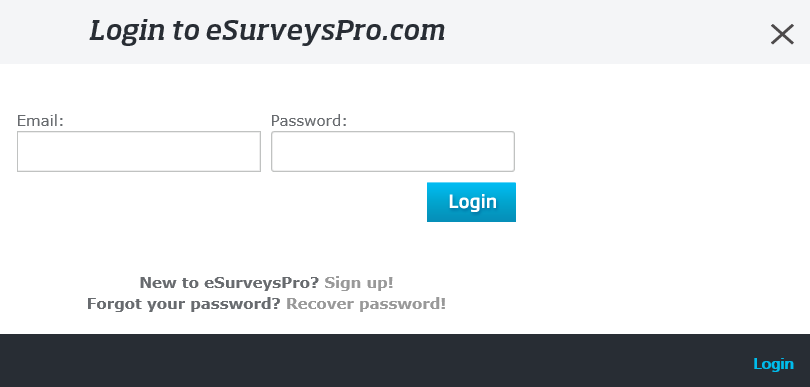
Now, log-in to your account using the Customer Log-In box located at the top of the eSurveysPro home page:
Next, click the Create Survey button in the left menu.
On the Create Survey page, you have the option to create a new survey from scratch, to create a new survey based on a copy of an existing one
or to create a new survey using one of the predefined questionnaire templates.
For this tutorial, leave the "Create a new survey from scratch" option selected and enter a title for your survey
(we will use "Mark's FastFood Customer Satisfaction Survey" for this tutorial).
You can also select the survey language. Do so if you are not using English. This option will customize the common survey page texts to your language.
You will be able to further modify them from the "Survey Options" page.
There is a 3rd option present also, and that is the possibility to select the folder where the survey will be saved, but that feature is only available for paid accounts.
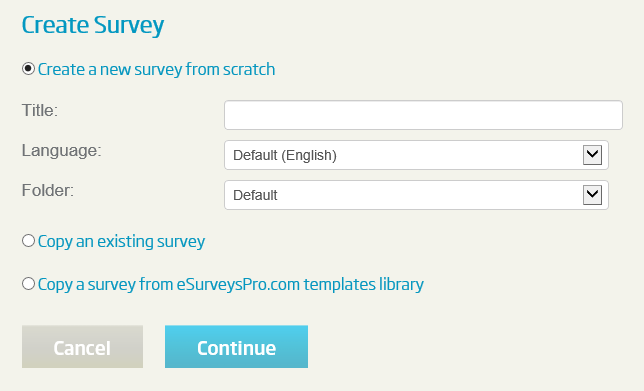
Once the initial options for the survey are set, click the "Continue" button on the "Create Survey" page.
To proceed to the next page of this tutorial where you will learn how to add survey pages and questions, click on the "Next" link below.
<< Back
Next >>