Tutorial - Creating and Deploying Surveys - Creating Questions and Pages Cont.
The Survey Editor should now reflect the newly added page as shown below.
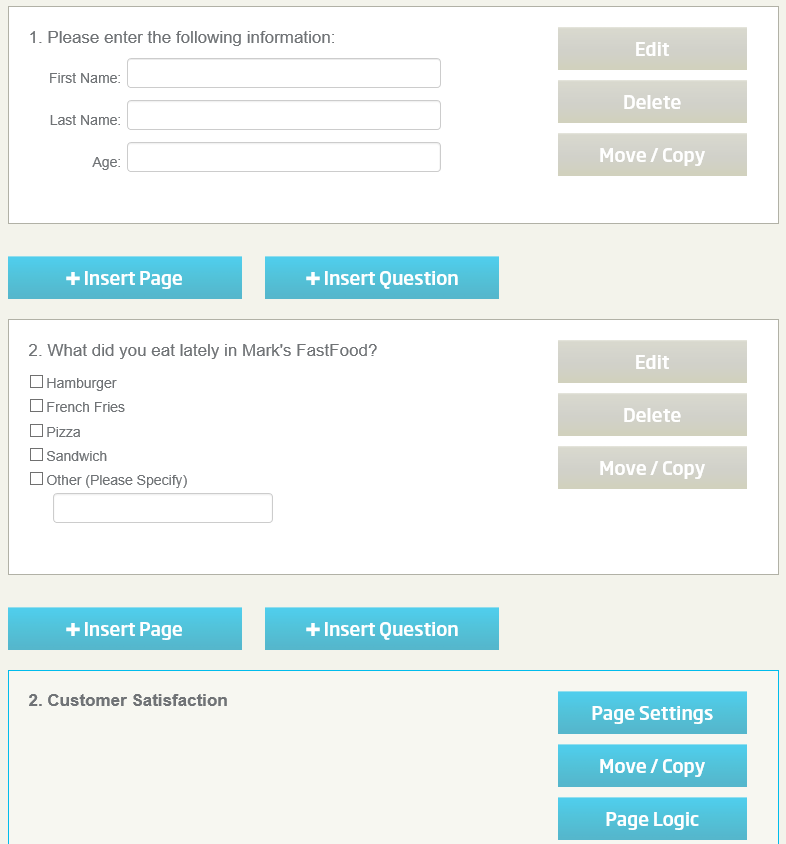
Next, let's add a question to Page 2 by clicking the "Insert Question" button that appears below the Page 2 Title Bar.
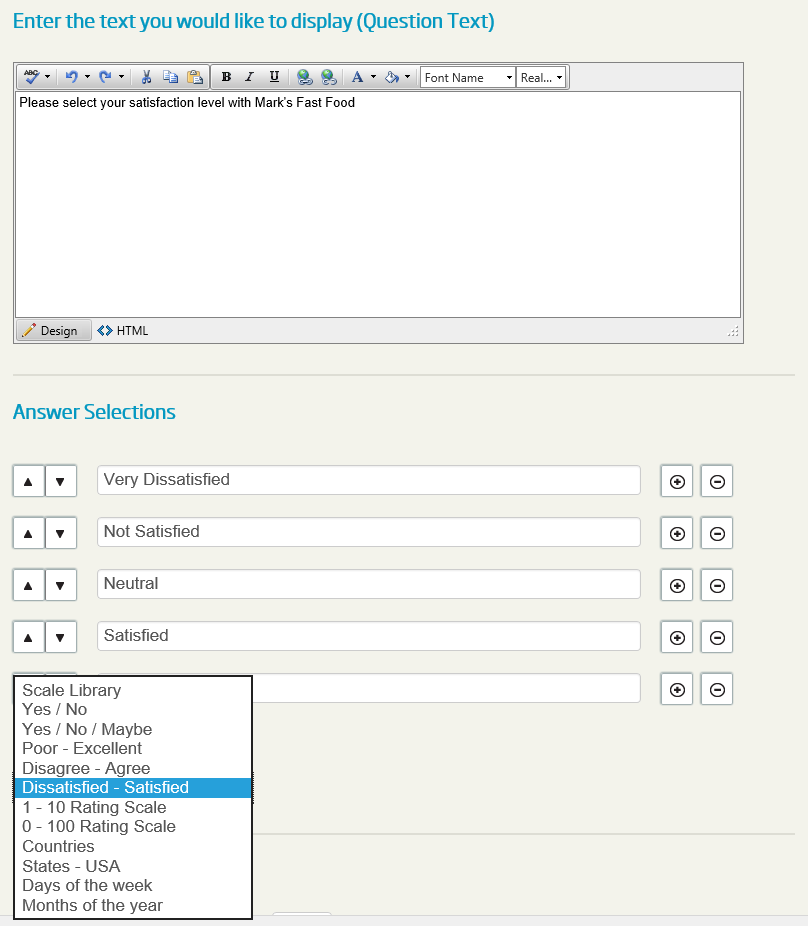
Change the Question Type to "Single Choice Vertical" and insert the question text and Answer Selections
as shown above then click the "Submit and Return to Survey Editor" button.
Regarding the answer selections, you have the possibility to enter your own texts, one by one or in bulk, or use one of the predefined scales ("Dissatisfied - Satisfied" in this case) from the Scale Library.
Click NEXT to continue with this tutorial.
<< Back
Next >>